|
Game Hack Sample 2
Recover Windows Outlook Express Password in Memory
Quick Memory Editor can be used to more ways than hacking game data. Here is an example how to use Quick Memory Editor to recover Windows Outlook Express account password.
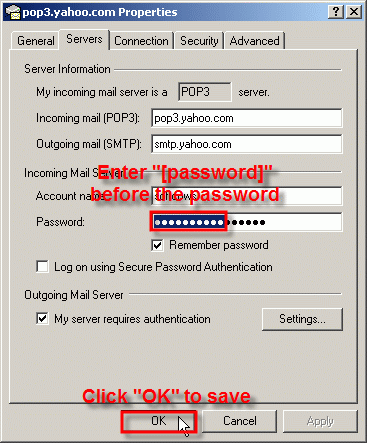
1: Start Outlook Express. Click Menu "Tools -> Accounts...", double click an account and select "Servers" tabsheet. The password here is shown as "******".
The real password is in the memory, but you can't find it by now. All you need to do is enter a unique string like "[password]" before the password and click "OK" button to save it, so when you find the unique string by Quick Memory Editor, you find the password in memory too.
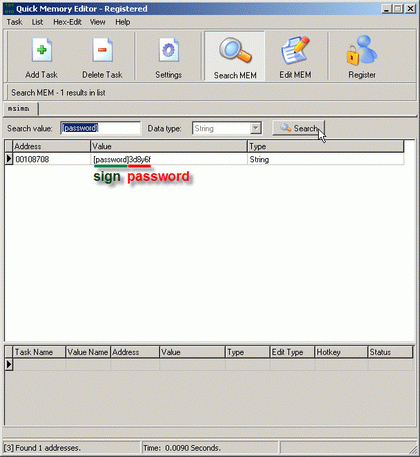
2: Start Quick Memory Editor. Click "Add Task" button. Select "msimn.exe" and press "OK" button. Enter search value "[password]", select data type "String", then press "Search" button. Quick Memory Editor found the string "[password]3d8y6f" in memory, so the original password is "3d8y6f".
|